
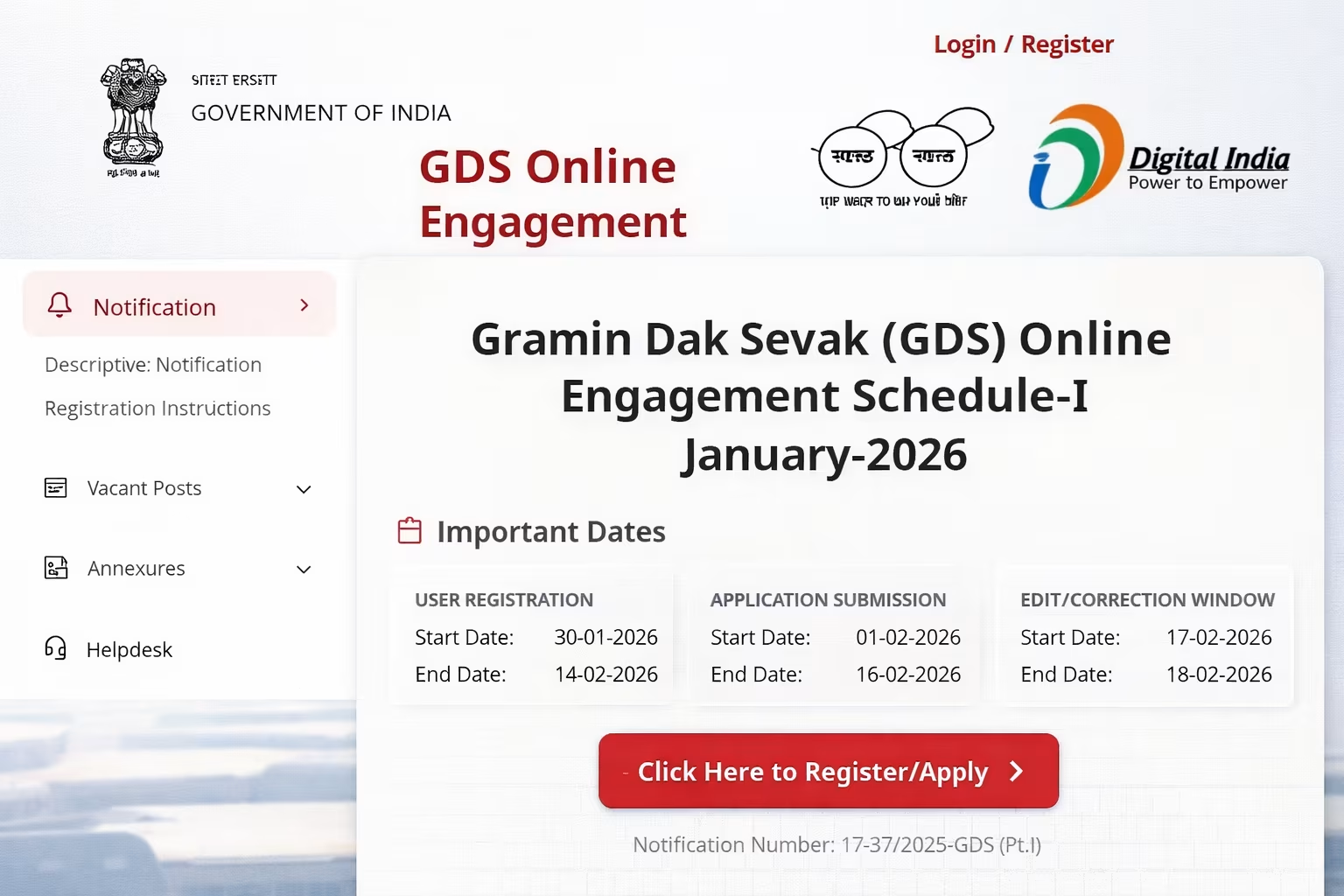
As of February 2, 2026, the Department of Posts has activated the online application window for Gramin Dak Sevak (GDS) Engagement Schedule-I (January 2026). Candidates can now submit their applications through the new official portal https://indiapost.gov.in/gdsonlineengagement. The deadline to apply for over 30,000 vacancies (BPM/ABPM/Dak Sevak) is February 14, 2026.
✅ New Portal Active: The application link has been migrated to the main India Post domain to handle high traffic. Ensure you use only the link provided below to avoid fake websites.
Direct Link: Click Here to Apply Online
India Post GDS Recruitment 2026: Key Highlights
This recruitment is unique because it requires No Written Examination. Selection is based purely on the marks obtained in the 10th Standard (Matriculation). The system automatically generates a merit list based on the preferences submitted by the candidate.
| Event | Date / Detail |
|---|---|
| Notification Release Date | January 20, 2026 |
| Registration Start Date | January 20, 2026 |
| Last Date to Apply | February 14, 2026 |
| Correction Window | February 15 – 17, 2026 |
| Merit List (1st) Date | Expected Late February 2026 |
| Application Fee | ₹100 (General/OBC/EWS) ₹0 (SC/ST/All Female/PwD) |
How to Apply on New Portal (Step-by-Step Guide)
The new portal interface is slightly different. Follow these steps strictly to ensure your form is not rejected.
Stage 1: Registration
- Visit indiapost.gov.in/gdsonlineengagement.
- Click on the “Registration” tab.
- Enter your Mobile Number and Email ID. Verify both with OTP.
- Fill in basic details: Name (as per 10th marksheet), Father’s Name, DOB, Gender, Community (Category), and Circle in which 10th passed.
- Submit to generate your unique Registration Number.
Stage 2: Application Form
- Login using your Registration Number and the Circle you are applying for.
- An OTP will be sent to your registered mobile.
- Fill in Address Details and 10th Board Marks.
- Important Rule: If your board has CGPA/Grades, convert them to Marks using the multiplication factor (usually 9.5) approved by your Board.
Stage 3: Choose Preferences
Strategy: You can select any number of divisions within a Circle. It is advisable to select maximum preferences to increase your chances.
- Select the Division (e.g., Delhi North, Mumbai South).
- The system will show available posts (BPM/ABPM).
- Arranged them in order of preference (1, 2, 3…).
- Click “Save and Print”.
Stage 4: Fee Payment
If you belong to UR/OBC/EWS Male category, pay ₹100 online via UPI, Credit Card, or Net Banking. Once paid, the application is final.
Documents Required for Upload
You need to upload only two documents during the online application. However, keep your original marksheets ready for the Document Verification (DV) stage.
| Document | Format | File Size | Dimensions (Approx) |
|---|---|---|---|
| Passport Photo | JPG / JPEG | Max 50 KB | 200 x 230 pixels |
| Signature | JPG / JPEG | Max 20 KB | 140 x 60 pixels |
Photo Rule: The photo must be recent (not older than 6 months). Do not wear caps or dark glasses. Both ears must be visible.
Job Profile & Salary (TRCA 2026)
GDS is not a regular Civil Service post but strictly an “Engagement”. The salary is called Time Related Continuity Allowance (TRCA).
| Post Name | Working Hours | Starting TRCA (Basic) | Gross Salary (With DA) |
|---|---|---|---|
| BPM (Branch Postmaster) | 4 Hours | ₹12,000 | ₹19,000+ |
| ABPM / Dak Sevak | 4 Hours | ₹10,000 | ₹16,000+ |
Career Growth: GDS employees are eligible for Departmental Exams (LDCE) after 3 years of service to become MTS, Postman, or Mail Guard, which are permanent government jobs with pension benefits.
Eligibility Checklist 2026
Ensure you meet these criteria before applying, or your candidature will be rejected during verification.
- Age Limit: 18 to 40 years (as on Feb 14, 2026).
- OBC Relaxation: 3 Years
- SC/ST Relaxation: 5 Years
- Educational Qualification: Secondary School Examination (10th) pass certificate with passing marks in Mathematics and English.
- Local Language: You must have studied the Local Language of the Circle (e.g., Hindi for UP, Marathi for Maharashtra) at least up to 10th standard.
- Computer Knowledge: Basic knowledge is required (Certificate not mandatory for application, but skills are tested).
- Cycling: Knowledge of cycling is a pre-requisite for all GDS posts.
Common Mistakes to Avoid
| Mistake | Consequence |
|---|---|
| Wrong Marks Entry | Immediate rejection during Document Verification. Entering higher marks than actual is a crime. |
| Wrong Community | If you apply as OBC/SC/ST but fail to produce a valid Central Govt certificate, your seat is forfeited. |
| Applying in Wrong Circle | If you apply in a circle where you don’t know the local language, you will be rejected. |
Is the old website indiapostgdsonline.gov.in working?
The department has migrated the application process to indiapost.gov.in/gdsonlineengagement. Always use the link provided in the official notification to avoid phishing sites.
Can I apply for multiple circles?
No. A candidate can apply for only one circle in a single registration. However, within that circle, you can select unlimited divisions/posts as preferences.
What is the cut-off for GDS 2026?
Since there is no exam, the cut-off is based on 10th marks. For General category, it usually goes above 95%. For SC/ST/PWD, it may range from 85% to 90% depending on the division.
हिंदी सारांश
इंडिया पोस्ट ने GDS भर्ती 2026 के लिए ऑनलाइन आवेदन की नई लिंक indiapost.gov.in/gdsonlineengagement सक्रिय कर दी है। 10वीं पास उम्मीदवार बिना किसी परीक्षा के BPM और ABPM पदों के लिए 14 फरवरी 2026 तक आवेदन कर सकते हैं। आवेदन शुल्क 100 रुपये है (SC/ST/महिलाओं के लिए निशुल्क)। चयन केवल 10वीं के अंकों (Merit List) के आधार पर होगा।


